
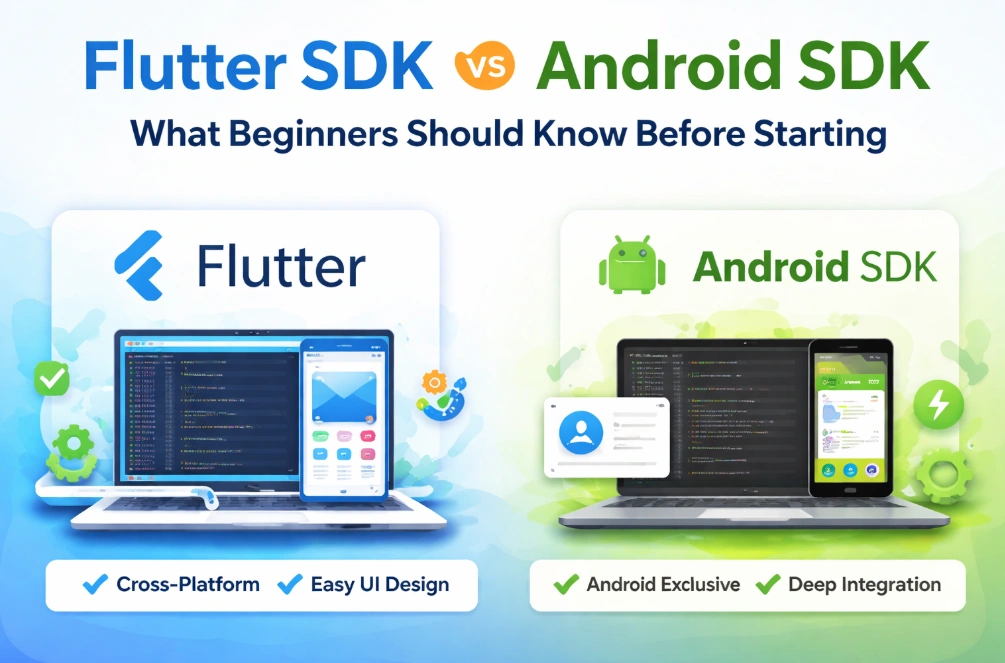
Starting your journey in app development can feel overwhelming, especially with so many tools and technologies available. One of the first things you will encounter is the concept of an SDK. But what exactly is an SDK, and why does it matter for beginners? This article will guide you through the basics of Flutter SDK and Android SDK, comparing them in a way that is easy to understand and beginner-friendly.
Flutter SDK vs Android SDK – Comparison at a Glance
| Feature | Flutter SDK | Android SDK |
|---|---|---|
| Platform | Cross-platform: Android, iOS, Web, Desktop | Android only |
| Programming Language | Dart (beginner-friendly) | Java or Kotlin |
| UI Development | Widget-based, easy for responsive design | XML layouts + code separation |
| Learning Curve | Gentle, fast results for beginners | Steeper, but builds deep Android knowledge |
| Development Speed | Fast, hot reload allows instant changes | Slower at first, full control once mastered |
| Community & Ecosystem | Growing packages and active support | Mature ecosystem with extensive Android resources |
| Best For | Beginners seeking cross-platform apps, fast UI design | Beginners focusing on Android specialization and career growth |
What is an SDK?
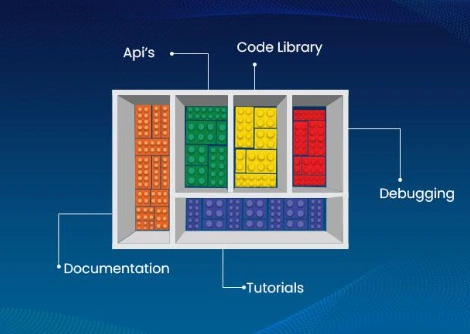
SDK stands for Software Development Kit. In simple terms, it is a set of tools, libraries, and resources that helps developers build applications for a specific platform or environment. Think of an SDK as a toolbox: it contains everything you need to create an app, such as pre-written code, guidelines, and sometimes testing tools.
For beginners, the most important thing to understand is that an SDK makes your life easier. Without it, you would need to write everything from scratch, which is extremely time-consuming and prone to errors. Both Flutter SDK and Android SDK are designed to simplify app development, but they do it in different ways.
What is Flutter SDK?
Flutter SDK is a modern toolkit created by Google that allows developers to build apps for multiple platforms using a single codebase. In other words, with Flutter, you can write one set of code and run it on Android, iOS, web, and even desktop platforms.
At its core, Flutter uses a programming language called Dart. Dart is designed to be simple and easy to learn, especially for beginners who are new to coding. Flutter focuses on creating beautiful, responsive user interfaces with smooth animations. Unlike traditional development where each platform has its own code, Flutter handles everything within its framework.
One of the most appealing features of Flutter is hot reload. This allows you to instantly see the changes you make in your code on your app, without restarting it. For beginners, this is a huge time-saver because it makes learning and testing much faster.
Flutter also comes with a rich set of pre-built widgets. Widgets are the building blocks of the user interface. Instead of designing every button, text field, or layout from scratch, you can use Flutter’s widgets and customize them to your needs. This helps beginners focus on learning programming concepts without getting stuck on design complexities.
What is Android SDK?
Android SDK is the official toolkit provided by Google for building apps specifically for Android devices. It has been around for a long time and is the foundation of Android app development.
The Android SDK includes a wide range of tools, such as the Android Studio IDE, libraries, APIs, and emulators. These tools help developers write code, test it on virtual devices, and debug issues effectively. Unlike Flutter, Android SDK development primarily uses Java or Kotlin as programming languages. Both languages are widely used, and Kotlin is now the preferred language recommended by Google for new Android projects.
For beginners, Android SDK offers a traditional approach to mobile development. You build your app specifically for Android devices, which can be simpler to start with if you only want to focus on one platform. The Android SDK provides full access to device features such as cameras, sensors, and notifications, giving you more control over the app’s functionality.
Key Differences Between Flutter SDK and Android SDK
Understanding the differences between Flutter and Android SDK can help beginners make an informed decision. Here are some of the most important conceptual differences:
1. Platform Support: Flutter allows you to build apps for multiple platforms using a single codebase, while Android SDK is designed only for Android devices.
2. Programming Language: Flutter uses Dart, which is beginner-friendly and focuses on UI development. Android SDK uses Java or Kotlin, which are widely adopted but may require learning more about platform-specific concepts.
3. UI Development: In Flutter, the UI is built entirely using widgets that are part of the framework. Android SDK uses XML for layout design and separate code for functionality.
4. Performance: Flutter apps are compiled into native code, which makes them fast and responsive. Android SDK apps are also native, but the approach and optimization differ.
5. Learning Curve: Flutter simplifies many aspects of development, such as hot reload and reusable widgets, which can make the initial learning curve smoother. Android SDK provides deep integration with the platform but may require more learning initially, especially for beginners.
Learning Curve Comparison for Beginners
When starting as a beginner, one of the first questions you might have is: “Which SDK will be easier to learn?” Understanding the learning curve is important because it affects how quickly you can start building functional apps and see results.
Flutter SDK is often considered beginner-friendly because of its simple setup and tools. Dart, the programming language used in Flutter, is designed to be straightforward and readable. Its syntax is easy to follow, even if you have never programmed before. The hot reload feature in Flutter is especially helpful for beginners. It allows you to see your changes instantly without restarting the app. This makes experimentation and learning much faster.
In addition, Flutter provides a unified approach to building apps for multiple platforms. You don’t need to learn different languages or tools for Android and iOS separately. The consistent framework and large collection of pre-built widgets simplify UI creation, making the learning curve smoother for absolute beginners.
On the other hand, Android SDK has a steeper learning curve, especially for those completely new to programming. Beginners need to learn either Java or Kotlin, both of which are powerful but require understanding of object-oriented programming concepts. Additionally, Android development involves learning how to use XML for layouts and understanding the lifecycle of Android apps, which can initially be confusing.
However, the Android SDK provides a deep understanding of how Android devices work. While it may take longer to get comfortable, the knowledge you gain is very valuable for long-term app development and debugging. For beginners willing to invest more time upfront, learning Android SDK can build a strong foundation in mobile development.
Development Speed and Productivity
Another important factor for beginners is how quickly you can build apps and test them. Productivity tools and features play a major role here.
Flutter is known for its fast development speed. Features like hot reload and a rich set of ready-to-use widgets allow beginners to quickly build and iterate on their apps. Since you can develop for multiple platforms from a single codebase, you save a lot of time compared to writing separate apps for Android and iOS.
Flutter also encourages modular development. You can break your app into reusable components called widgets. This not only speeds up the development process but also makes your code cleaner and easier to manage. Beginners often find this approach motivating because they can see tangible results faster.
With Android SDK, development speed depends on your familiarity with the tools and languages. Android Studio offers powerful debugging and testing tools, but building for multiple platforms requires separate coding efforts. The initial setup and learning can slow beginners down. However, for apps targeting Android devices only, the SDK provides full control over device features, which can increase efficiency for specific tasks once you are familiar with it.
Platform Support and Ecosystem
When choosing an SDK, it is important to consider platform support and the surrounding ecosystem of libraries, community, and learning resources.
Flutter SDK supports multiple platforms including Android, iOS, web, and desktop. This means that apps you build with Flutter can reach a larger audience without rewriting code. Flutter has a growing ecosystem of packages and plugins that allow you to add functionality such as authentication, maps, and network requests easily. Its community is active and beginner-friendly, offering tutorials, forums, and resources to solve common problems.
Android SDK is focused solely on Android devices. While this may seem limiting, it provides complete access to Android-specific features such as device sensors, cameras, notifications, and more. The ecosystem for Android development is mature, with countless libraries, documentation, and community support. For beginners who want to focus on Android or build apps that deeply integrate with Android features, the SDK provides the necessary tools and support.
When a Beginner Should Choose Flutter SDK
Flutter SDK can be a great choice for beginners in several scenarios:
1. Cross-Platform Goals: If your goal is to build apps that run on both Android and iOS without learning two separate languages, Flutter is ideal.
2. Fast Feedback and Learning: The hot reload feature allows beginners to experiment freely and see changes instantly, which speeds up learning and reduces frustration.
3. Focus on UI Design: If you want to create visually appealing apps with smooth animations and responsive layouts, Flutter’s widget-based system is very helpful.
4. Beginner-Friendly Language: Dart is relatively easy to pick up, especially if you are new to programming, making the learning curve gentler.
In short, Flutter is well-suited for beginners who value speed, visual design, and cross-platform development without diving too deeply into platform-specific complexities.
When a Beginner Should Choose Android SDK
While Flutter offers cross-platform capabilities, there are situations where Android SDK is the better choice for beginners. Understanding these scenarios can help you make a more informed decision based on your goals.
1. Focus on Android Devices: If your goal is to create apps specifically for Android users, learning Android SDK gives you complete access to all Android features. You can use device sensors, camera, notifications, and background services with more control than Flutter might allow.
2. Long-Term Career in Android Development: For beginners planning to build a career as an Android developer, learning the official SDK is essential. Knowledge of Android SDK, Java, and Kotlin provides a strong foundation that employers often expect.
3. Deep Integration with Device Features: Some apps require advanced functionality, such as custom notifications, background tasks, or native integrations. Android SDK allows you to implement these features without relying on third-party plugins.
4. Learning the Fundamentals of Mobile Development: Android SDK teaches core concepts like the activity lifecycle, app architecture, and XML-based UI design. This foundational knowledge can make you a stronger developer in the long run.
Common Misconceptions Beginners Have About Both SDKs
When starting out, many beginners have misunderstandings about Flutter and Android SDK. Clearing these misconceptions can save time and frustration.
Misconception 1: Flutter is only for simple apps. Some beginners think Flutter cannot handle complex applications. In reality, Flutter can support highly complex apps with advanced UI, animations, and integrations. Its ecosystem continues to grow, allowing even sophisticated projects to be feasible.
Misconception 2: Android SDK is outdated. Another common myth is that Android SDK is old-fashioned and not worth learning. On the contrary, Android SDK is actively maintained by Google, and Kotlin makes modern Android development easier and more efficient than ever.
Misconception 3: Flutter apps are slow. Some beginners believe that apps built with Flutter are slower than native Android apps. Flutter apps are compiled into native code, which ensures high performance. For most apps, users will not notice any difference in speed compared to Android SDK apps.
Misconception 4: You cannot learn both later. Beginners sometimes worry that choosing one SDK will prevent them from learning the other. In reality, skills learned in one SDK, such as programming logic, app architecture, and UI design, are transferable. You can always expand your knowledge to other platforms once you are comfortable.
Final Recommendation for Beginners
Choosing between Flutter SDK and Android SDK depends largely on your goals, the type of apps you want to build, and your learning style. There is no one-size-fits-all answer, but here is a balanced recommendation:
If you are a beginner who wants fast results, cross-platform development, and a gentle learning curve, Flutter SDK is an excellent choice. It allows you to create visually appealing apps quickly while learning the fundamentals of programming and UI design.
If your focus is deep Android integration, career-oriented learning, or building highly specialized Android apps, Android SDK is the right path. It may take longer to master, but it gives you full control over Android devices and a strong foundation in mobile app development.
Many successful developers eventually learn both. Starting with Flutter can give you confidence and quick wins, while exploring Android SDK later can deepen your expertise.
Conclusion
For absolute beginners, both Flutter SDK and Android SDK have their strengths and challenges. Flutter offers speed, ease of learning, and cross-platform capabilities, while Android SDK provides deeper control, long-term career potential, and mastery of Android-specific features. By understanding your goals, experimenting, and practicing consistently, you can choose the SDK that fits your journey best.
Ultimately, the best way to learn is by doing. Start small, build simple apps, and gradually explore more advanced concepts. Whether you choose Flutter or Android SDK first, the skills you gain will set a solid foundation for your future in app development.