
If you are a beginner who wants to build mobile apps, chances are you have already heard about Flutter. It is fast, modern, and backed by Google. Many tutorials say, “Just learn Flutter and start building apps.” But very soon, you will face a common question: Do I need to learn Dart before Flutter?
This article is written especially for beginners who feel confused at this stage. We will go deep, explain everything in simple language, and use real-world examples. No advanced jargon, no assumptions. By the end of this guide, you will clearly understand why learning Dart first makes your Flutter journey much easier.
What Is Dart, in Simple Words?
Dart is a programming language. Just like Java, JavaScript, Python, or C++, Dart is used to tell computers what to do. It was created by Google with a focus on speed, simplicity, and modern app development.
When you write a Flutter app, you are actually writing Dart code. Flutter does not have its own language. It fully depends on Dart. That means every button, screen, animation, and logic in Flutter is written using Dart.
A good real-life example is this:
Flutter is like a car, and Dart is the fuel. You can admire the car’s design, speed, and features, but without fuel, the car will not move.
What Is Flutter Then?
Flutter is a UI framework. Its main job is to help you design beautiful user interfaces. It provides ready-made tools to build screens, layouts, animations, and interactions.
Flutter does not teach you programming logic from scratch. It assumes you already understand things like:
• Variables and data types
• Conditions (if-else)
• Loops
• Functions
• Classes and objects
All of these come from Dart, not Flutter.
The Common Beginner Mistake
Many beginners jump directly into Flutter without learning Dart. At first, things look easy. They copy-paste code, follow video tutorials, and the app runs. But soon, problems start appearing.
You may face questions like:
• Why does this error happen?
• What does this syntax mean?
• Why is this widget not updating?
• Why does this function behave strangely?
Without Dart knowledge, Flutter feels like magic. And magic is dangerous for beginners because when it breaks, you don’t know how to fix it.
Why Dart Is Easier Than You Think
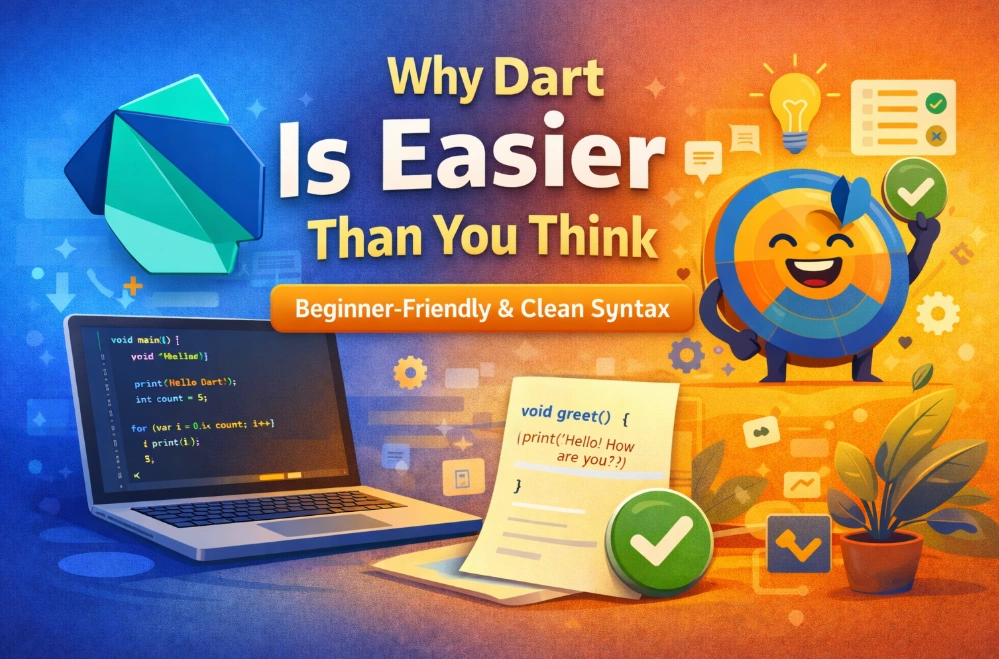
Some beginners avoid Dart because they think learning another language is hard. The truth is, Dart is one of the most beginner-friendly modern languages.
Dart syntax is clean and readable. It avoids unnecessary complexity. If you have ever seen JavaScript or Java code, Dart will feel familiar.
For example, a simple Dart function looks like this:
It reads almost like plain English.
This simplicity is one big reason Flutter became popular so fast. Google designed Dart to reduce developer frustration.
How Dart Thinking Helps You Understand Flutter Faster
Flutter uses a concept called widgets. Everything in Flutter is a widget. But widgets are actually Dart classes.
If you already understand Dart concepts like:
- Classes
- Constructors
- Methods
- Objects
Then Flutter widgets suddenly make sense. You stop memorizing code and start understanding it.
Think of it like learning grammar before writing essays. You can write something without grammar, but it will be confusing, messy, and hard to improve.
Real-World Example: Login Button Logic
Imagine you are building a login screen in Flutter. You press a button, check email and password, show an error, or navigate to another screen.
Flutter only handles the UI part: button design, layout, animations.
Dart handles the logic part:
• Storing email and password
• Validating input
• Checking conditions
• Handling responses
If you don’t understand Dart, you can design a button, but you cannot properly control what happens when it is pressed.
Dart Builds Strong Programming Foundations
Learning Dart before Flutter helps you build strong fundamentals. These fundamentals are not limited to Flutter only.
Once you understand Dart well:
• Learning Flutter becomes faster
• Debugging becomes easier
• Reading documentation becomes simple
• Understanding advanced topics becomes possible
Even if you move away from Flutter in the future, your programming mindset stays strong.
Why Search Engines and Jobs Also Care
From a practical point of view, many beginner-level Flutter jobs expect you to understand Dart basics. Interviewers often ask logic-related questions, not UI questions.
If you only know Flutter widgets but not Dart logic, you will struggle in real projects.
This is why learning Dart first is not a waste of time. It is an investment.
Core Dart Concepts That Make Flutter Easy to Understand
We learned that Dart is not optional if you want to work with Flutter seriously. Now, we will explore specific Dart concepts that directly affect how well you understand Flutter.
This section is very important for beginners because most Flutter confusion actually comes from weak Dart fundamentals, not from Flutter itself.
Variables and Data Types: The Foundation of App Logic
Every app works with data. User name, email, age, settings, login status — all of these are data.
Dart helps you manage data using variables. The good thing is, Dart keeps things simple and readable.
When you understand how Dart handles data types like text, numbers, and true/false values, Flutter UI code becomes clearer. You know what kind of data a widget expects and what it returns.
Without this understanding, beginners often face runtime errors and feel lost.
Functions: Making Your Code Reusable and Clean
Functions are blocks of code that perform a specific task. In real apps, everything depends on functions.
For example:
• A function to validate email
• A function to calculate price
• A function to handle button press
In Flutter, when you press a button, you usually pass a Dart function to handle that action.
If you do not understand how functions work in Dart, Flutter callbacks feel confusing and unpredictable.
Learning Dart first helps you clearly understand:
• What happens when a function is called
• How data moves in and out of functions
• Why some functions return values and others do not
Conditions and Loops: Making Apps Think
Apps are not static. They react to user actions.
Conditions help apps decide:
• Is the user logged in?
• Is the password correct?
• Should this button be enabled?
All of this logic is written in Dart, not Flutter.
Loops are also important. Lists of products, messages, notifications — these are often shown using loops.
Flutter displays them, but Dart prepares the data.
Once you understand conditions and loops in Dart, building dynamic Flutter screens becomes natural.
Object-Oriented Programming: Why Widgets Are Not Scary
Dart is an object-oriented language. This is one of the biggest reasons learning Dart first is helpful.
Flutter widgets are actually Dart classes.
If you understand:
• What a class is
• What an object is
• How constructors work
Then widgets stop feeling like magic.
You realize that when you create a widget, you are just creating an object with properties and behavior.
This understanding removes fear and confusion from Flutter development.
Null Safety: A Beginner’s Best Friend
One of Dart’s most powerful features is null safety.
Null-related errors are very common in apps. Dart helps you avoid them at compile time instead of crashing your app later.
When you learn Dart null safety properly:
• Flutter errors become easier to understand
• App crashes reduce significantly
• Code becomes more predictable
Beginners who skip Dart often struggle a lot with null-related issues in Flutter.
Asynchronous Programming: Handling Time and Delay
Real apps deal with time.
• Loading data from the internet
• Waiting for user input
• Saving data to a database
Dart uses asynchronous programming concepts to handle these tasks smoothly.
Flutter relies heavily on Dart’s async features. If you do not understand them, loading indicators, API calls, and state updates become confusing.
Learning Dart async concepts first helps you understand:
• Why apps don’t freeze
• How data loads in the background
• When UI updates happen
State Management Starts With Dart Thinking
State is one of the hardest topics for Flutter beginners.
But state is not a Flutter-only problem. It is a programming problem.
Understanding Dart variables, mutability, and data flow prepares your brain for Flutter state management.
When you learn Dart first, Flutter state solutions feel logical instead of overwhelming.
Debugging Becomes Easier With Dart Knowledge
Every developer faces errors. The difference is how fast they solve them.
If you understand Dart:
• Error messages make sense
• Stack traces are readable
• Fixing bugs becomes faster
Without Dart knowledge, debugging Flutter apps feels like guessing.
Confidence Matters More Than Speed
Many beginners want fast results. They want to build apps quickly.
But speed without understanding creates fragile apps.
Learning Dart first gives you confidence. You stop copying code blindly. You start writing code with purpose.
How Much Dart Is Enough and How to Move to Flutter the Right Way
At this stage, one important question naturally comes to a beginner’s mind: Do I need to master Dart completely before touching Flutter? The short and honest answer is no.
You do not need to become a Dart expert. What you need is functional confidence. Enough understanding so that Flutter does not feel confusing or magical.
How Much Dart Is Enough Before Flutter?
For beginners, Dart learning should be goal-oriented, not endless.
You should be comfortable with these Dart topics before moving fully into Flutter:
• Variables and data types
• Functions and return values
• if-else conditions
• Loops and collections (List, Map)
• Classes and constructors
• Basic object-oriented thinking
• Null safety basics
• async and await (conceptual understanding)
If these topics feel readable and understandable, you are ready for Flutter.
A Practical Learning Path That Works
Instead of separating Dart and Flutter completely, follow a layered approach.
Step 1: Learn Dart fundamentals using simple console programs. Focus on logic, not UI.
Step 2: Write small Dart programs that simulate real app logic, such as:
• Login validation
• Simple calculator logic
• List filtering and sorting
• User profile data handling
Step 3: Move to Flutter and start with basic widgets, layouts, and navigation.
This approach prevents burnout and keeps learning practical.
Why Skipping Dart Slows You Down Long-Term
Beginners who skip Dart often feel fast at the beginning but slow later.
They struggle when:
• Apps grow bigger
• Business logic becomes complex
• Bugs appear frequently
• Performance issues start showing
Dart knowledge acts like a safety net. It keeps your learning stable.
Real-World Project Thinking
In real-world Flutter projects, most time is spent on logic, not UI.
• Handling user data
• Managing app state
• Working with APIs
• Handling errors gracefully
All of these are Dart-heavy tasks.
UI is important, but logic keeps the app alive.
Transitioning From Dart to Flutter Feels Natural
When you already know Dart, Flutter feels like a natural extension, not a new monster.
You recognize patterns. You understand why widgets are built the way they are.
Instead of asking “What is this code doing?”, you ask “How can I improve this?”
Beginner Confidence Changes Everything
Confidence is not about knowing everything. It is about knowing enough to move forward without fear.
Dart gives beginners that confidence.
You stop depending fully on tutorials. You start experimenting. You start building.
Time Investment vs Long-Term Gain
Spending 2–3 weeks learning Dart properly can save you months of confusion later.
That time investment pays back through:
• Faster Flutter learning
• Cleaner code
• Better debugging skills
• Stronger project understanding
Final Beginner Advice
If your goal is to build real Flutter apps, not just demo screens, then learning Dart first is not optional — it is practical.
Dart builds your thinking. Flutter builds your interface.
When both work together, development becomes enjoyable instead of frustrating.
Start small, stay consistent, and build understanding before speed. That is how beginners turn into confident Flutter developers.